


Buddy.ai: Kids Learning Games
4.62.18K Reviews
App Specs
- Version
- 6.31.0
- Updated On
- License
- Free
- Downloads
- 50,000,000+
- Developer
- AI Buddy Inc.
- Categories
- Education
- Platform
- Android, iOS
Screenshots
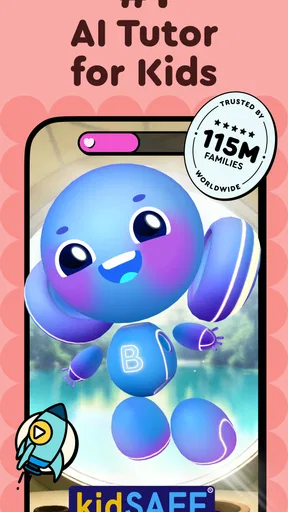
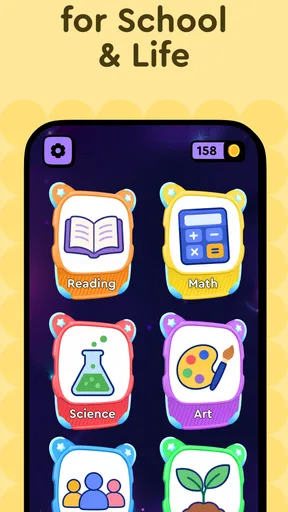
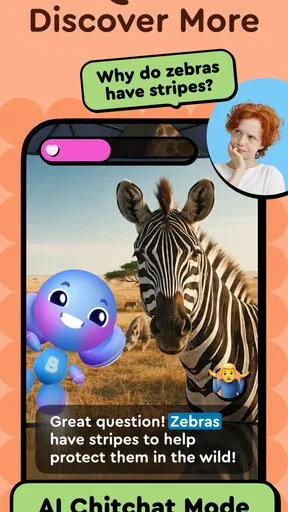
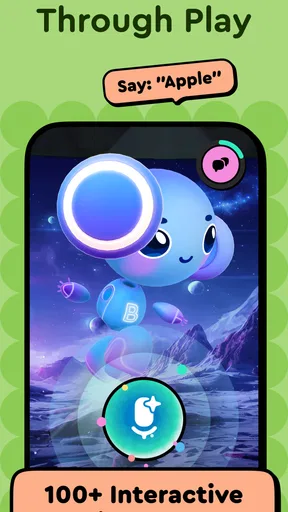
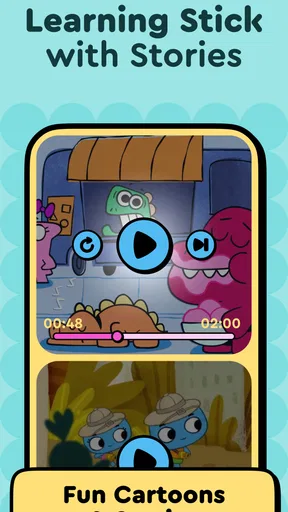
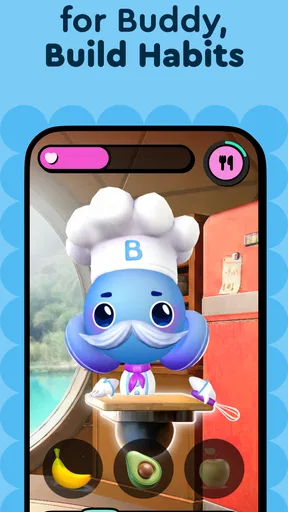
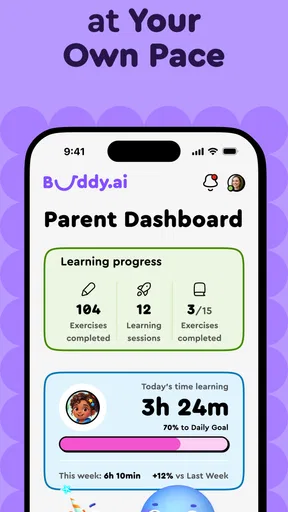
 Analysis by AppCompare
When I first opened Buddy.ai: Kids Learning Games, I’d treat it as a short, guided learning activity rather than a replacement for a teacher, book, or shared play. It is an education app from AI Buddy Inc. for children from preschool through first grade, with learning aimed at ages three to eight. The emphasis is on speech, STEM, ABC skills, and art, so it makes the most sense for a young child who enjoys interacting with a screen and benefits from a playful prompt to get started.
What to expect from the first session
The app’s central idea is that a child learns by responding to an on-screen tutor, not just by watching a video or tapping through a worksheet. That distinction matters: Buddy.ai is a better fit for a child willing to listen and try answering aloud than for one who simply wants a cartoon playing in the background. Speech practice can make the activity feel personal, while the broader mix of early learning topics gives a parent a way to see whether the child responds more to letters, creative tasks, or STEM-style activities.
I would keep the first visit modest. Let your child explore one activity and notice whether the instructions are understandable, whether they enjoy speaking to the character, and whether they can stay engaged without constant adult help. A brief, positive first interaction is more useful than trying to cover every subject at once. If the child is shy, tired, or not in the mood to speak, it is sensible to stop and try again another time rather than turning the app into a test.
Getting ready without making it a chore
Before handing over the device, I’d check that the sound is at a comfortable level and choose a spot without much background noise. A voice-led activity can be harder for a young learner when a television is on or other people are talking nearby. I’d also sit close enough to help with the first screen or instruction, but let the child answer independently when possible. That gives you a clearer sense of what they can do without making every response feel like a parent-led quiz.
It is free to download, though in-app purchases are available, with listed items ranging from $6.99 to $119.99. I’d look at the purchase options with an adult before making the app part of a child’s routine, so the child knows which parts are available and who handles any purchase decisions. The age rating is Everyone, but that does not mean every activity will suit every child equally; a three-year-old and an eight-year-old can have very different attention spans and starting skills.
Making the first success count
A useful first goal is simply getting the child to follow a prompt and make one response they feel proud of. If they say an answer aloud, recognize a letter, or complete a small task, pause to let them enjoy that win instead of rushing straight into another activity. I find that this is a better way to build confidence than measuring a young child’s session by how many screens they finish. You can then ask them what they liked, which gives you a practical clue about what to try next.
For example, on a quiet afternoon before dinner, I’d offer a short session while I prepare food nearby. I’d stay within earshot, let the child work through a prompt, and step in only if the instructions are confusing or they ask for help. That makes the app a small part of the day rather than a babysitter expected to hold attention indefinitely. If the child loses interest, that is useful feedback too: switch to a book, drawing, or conversation instead of pressing for more screen time.
Worth Reading Before You Choose

Flipboard Shows What News Apps Must Do Beyond the Feed

Switching to Android Auto Means Rethinking Your Driving Routine

Google Calendar Makes a Crowded Week Easier to Manage

Ludo King Makes the Most of the Minutes Between Plans

Baby Panda World Brings Quick Play to Modern Phones, but Its Game Library Feels Busy

ESPN’s Live Game View Makes Following Close Games Easier
Where it fits among learning options
Compared with alphabet videos, Buddy.ai asks for more active participation, especially when a child responds through speech. Compared with paper workbooks, it can feel more playful and less like a formal lesson, though a workbook may be easier for a child who prefers drawing or pointing over talking to a device. And compared with an adult reading or playing alongside the child, an app cannot respond with the same judgment, warmth, or flexibility. I’d use it as one option in a mix, not as the whole learning plan.
The speech-led approach also has a practical trade-off: it may be engaging when a child is comfortable speaking, but frustrating if they are quiet, distracted, or surrounded by noise. I would not assume a missed response means the child does not know the answer. Try repeating the prompt in a calmer moment, and, if needed, let them answer you first before trying again. That small adjustment can prevent a learning activity from becoming a confidence test.
Who is likely to enjoy it—and who may not
I can see this being most useful for families looking for a guided way to introduce early English, letters, speech practice, STEM ideas, or art in short bursts. It may also suit parents who want an activity their child can begin with limited help once the first interaction is familiar. On the other hand, if your child strongly prefers open-ended play, avoids voice interaction, or already needs more advanced schoolwork, a fixed early-learning app may not hold their interest. In those cases, shared reading, hands-on materials, or age-appropriate lessons chosen with a teacher may be a better match.
One practical tip is to treat the app as a conversation starter after the screen goes dark. If a child has been working with letters, ask them to spot one on a sign or in a book; if they have tried an art activity, offer paper and crayons afterward. This gives the digital session a natural next step and helps you tell whether the child is carrying an idea into ordinary life. It also keeps screen use from becoming the only way learning happens.
Another useful habit is to keep expectations flexible across ages. A younger child may need you nearby to help understand what to do, while an older child may want to move through activities with less intervention. Rather than deciding in advance that a particular session must last a certain amount of time, I’d follow the child’s attention and stop while the experience is still positive. That is especially helpful when the app is being introduced for the first time.
What’s the Buzz About?
The first thing that caught my attention about Buddy.ai is its interactive approach to learning. It’s like having a virtual buddy for your little one, guiding them through various educational activities. From language learning to math basics, this app covers a wide range of subjects, all wrapped up in colorful graphics and engaging games.
Features That Stand Out
Let’s dive into some of the features that make this app a standout:
- Voice Recognition: It’s not just about tapping on a screen. The app uses voice recognition to interact with kids, making it feel more like a conversation.
- Progress Tracking: Parents can easily track their child’s progress through a user-friendly dashboard.
- Multilingual Support: If you’re aiming for your kid to pick up another language, Buddy.ai has got you covered with multiple language options.
The Fun Factor
Kids won’t even realize they’re learning because they’ll be too busy having fun. The games are designed in a way that each educational task feels like a mini-adventure. Whether it’s solving puzzles or matching games, there’s always something new to explore.
My Honest Take
Honestly, the app is a breath of fresh air in the educational app arena. It’s intuitive, engaging, and, most importantly, effective. The gamified learning experience keeps kids coming back for more, which is exactly what you want from an educational tool. Plus, the parental controls are a nice touch, ensuring kids stay on track with their learning goals.
Would I recommend Buddy.ai: Kids Learning Games to other parents? Absolutely! It’s perfect for keeping kids entertained and educated, especially during those long car rides or lazy Sunday afternoons.
So, if you’re ready to make learning a part of your child’s everyday fun, give Buddy.ai a try. You might find yourself sneaking in a few games yourself!
Choosing a routine that stays useful
I would use it as a planned activity rather than an automatic reward for every quiet moment. For example, a parent could offer one brief session after a child has had a snack, then move on to a physical activity or a shared story. That predictable pattern can help a child understand that the app is for trying a learning task, not endless browsing. It also gives the adult a natural chance to notice whether the child is engaged or merely tapping to move forward.
If more than one child uses the same device, I’d avoid assuming their experience will be interchangeable. A younger sibling may need you to explain a prompt, while an older one may be ready to try independently. Watching the first few turns can show whether each child is answering thoughtfully or simply following the animation. That distinction is useful when deciding whether to continue, offer a hint, or choose a different activity.
Questions worth considering before relying on it
Parents often wonder whether the app can replace direct teaching. I would not use it that way. A virtual tutor can encourage practice, but it cannot read a child’s mood as well as a caregiver or adapt a lesson through the kind of back-and-forth that happens during shared play. It works best as a supplement: a little guided practice alongside conversation, books, drawing, and real-world exploration.
Another reasonable question is whether a child needs to be a confident speaker to begin. The voice interaction makes speaking part of the experience, so a hesitant child may benefit from a parent sitting nearby and helping them feel comfortable. I would avoid answering for them every time, though. Give them a pause, let them try, and offer gentle encouragement; if the interaction still feels stressful, choose a quieter activity or return to it later.
It is also worth asking whether the app suits a family looking for a fully free experience. The download is free, but purchases are offered inside the app, so I’d review those choices before a child uses it alone. A parent who wants to avoid in-app spending should set expectations clearly and keep purchase decisions with an adult. That simple boundary makes the app easier to introduce without turning a learning session into a negotiation.
A sensible next step after trying it
Buddy.ai has an average rating of 4.5 from around 603,000 ratings, and it has been installed over 50 million times. Those figures suggest it has reached many families, but popularity cannot tell you whether its speaking style or subject mix will suit your own child. I’d judge it by the first few sessions: does the child understand what to do, feel comfortable responding, and show interest in an idea afterward? Those are more useful signs than a long session or a screen full of completed tasks.
The app is currently at version 6.22.0 and requires Android 8.0 or later. If you are choosing it for a particular device, check compatibility before building it into a routine. It was released on August 20, 2019, and its substantial audience makes it a familiar option in early-learning apps, but the right choice still depends on your child’s age, interests, and comfort with voice-based activities.
My recommendation is to try it together once, keep the first goal small, and then decide whether it deserves a regular place in your child’s day. If your child enjoys responding to a virtual tutor and likes short, guided learning activities, it can be a helpful addition. If they prefer hands-on discovery or need a more individualized lesson, choose those alternatives without guilt. The best learning tool is the one that encourages curiosity without making practice feel like pressure.
Pros
- Engaging animations captivate young learners.
- Interactive lessons foster active participation.
- Ad-free experience ensures uninterrupted learning.
- Customizable profiles for different children.
- Offline access supports learning without Wi-Fi.
Cons
- Limited content for advanced learners.
- Requires parental supervision for setup.
- Voice recognition can be inconsistent.
- Subscription needed for full access.
- Limited languages available for non-English speakers.
FAQs for Buddy.ai: Kids Learning Games
What age group is Buddy.ai: Kids Learning Games suitable for?
Buddy.ai is designed for children aged 4 to 10 years old. The app offers a variety of learning games that cater to different developmental stages within this age range, ensuring that each child can find activities that are both educational and entertaining. It's a great tool for early learning and development.
Does Buddy.ai require an internet connection to use?
Yes, Buddy.ai requires an internet connection to access its full range of features. The app needs to connect to its servers for updates, new content, and interactive features. While some basic features might work offline, for the best experience and to access all games and lessons, an internet connection is recommended.
Is Buddy.ai safe for children to use independently?
Buddy.ai is designed with child safety in mind, featuring a kid-friendly interface and no in-app advertisements. The content is educational and appropriate for young audiences. However, it's always a good practice for parents to supervise their children's screen time and usage, especially when they are new to the app.
Are there any in-app purchases in Buddy.ai?
Buddy.ai offers a variety of free content, but it also includes in-app purchases. These purchases can unlock additional games, lessons, and features. Parents should be aware of these options and may want to set up parental controls or discuss with their children about in-app spending to avoid unintended purchases.
How does Buddy.ai enhance learning for kids?
Buddy.ai uses interactive games and engaging lessons to make learning fun and effective. The app covers key subjects like math, reading, and science, using colorful graphics and interactive storytelling. This approach helps to maintain children's interest and supports their educational development by reinforcing concepts through play.


